Vantage
Analyzed network packet captures of a compromised OpenStack cloud environment. Traced an FFUF subdomain fuzzing campaign, brute-forced cloud login, API config file theft, Swift object storage enumeration, and exfiltration of a 28-record user data file — ending with attacker persistence via a new cloud account.
- 01 ReconnaissanceFFUF fuzzed TechVantage subdomains and discovered the cloud portal
- 02 Initial AccessPortal login brute forced in three attempts, doubled in the logs by the reverse proxy
- 03 Credential AccessOpenStack API remote access config downloaded from the api_access folder
- 04 DiscoveryAuthenticated directly to the controller with openstacksdk and enumerated three Swift containers
- 05 Exfiltrationuser-details.csv with 28 user records downloaded from object storage
- 06 PersistenceCloud account jellibean created through the identity API
Fuzzing & Subdomain Discovery
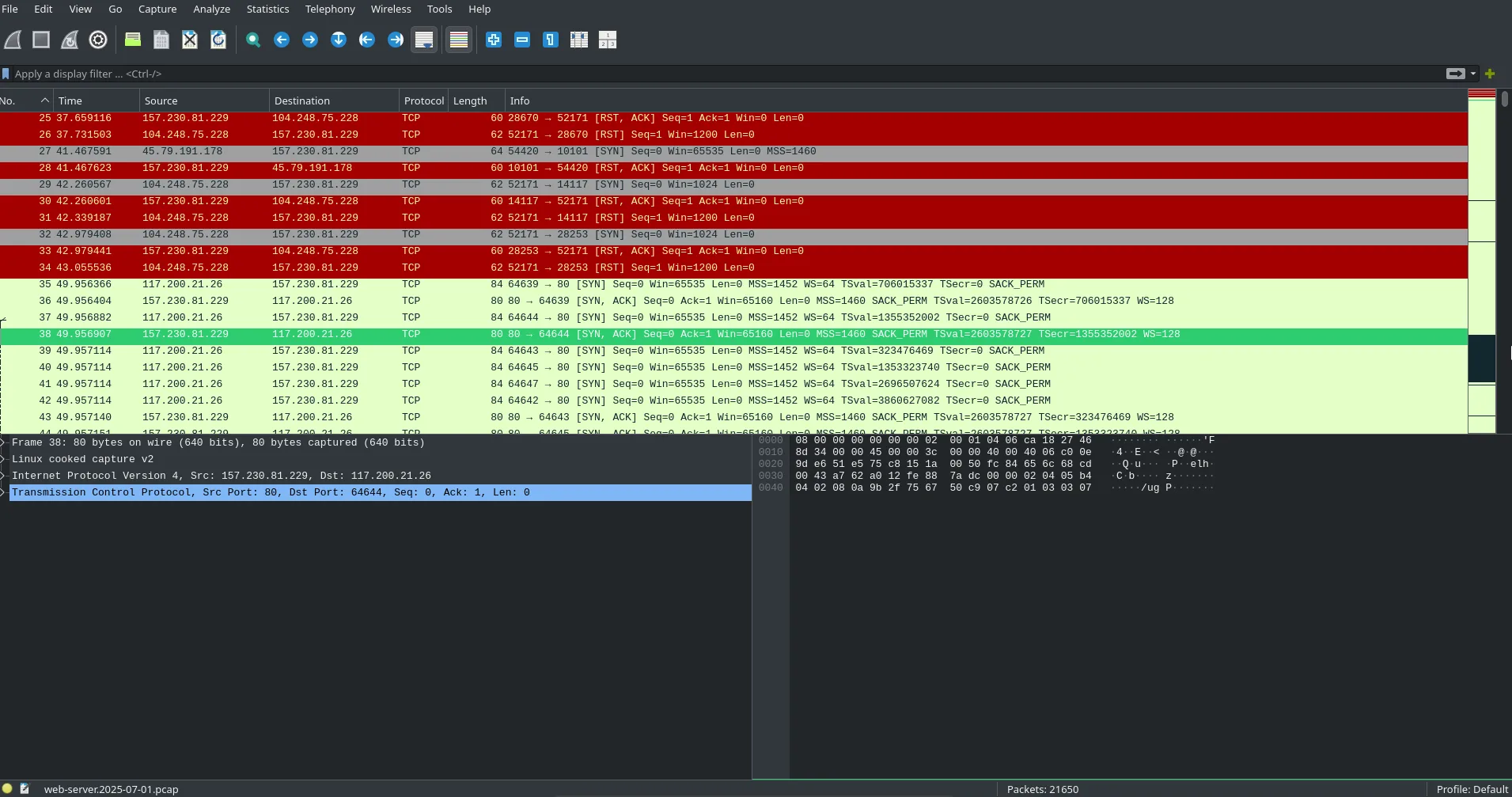
we open the web server pcap to get a full view of the packets.
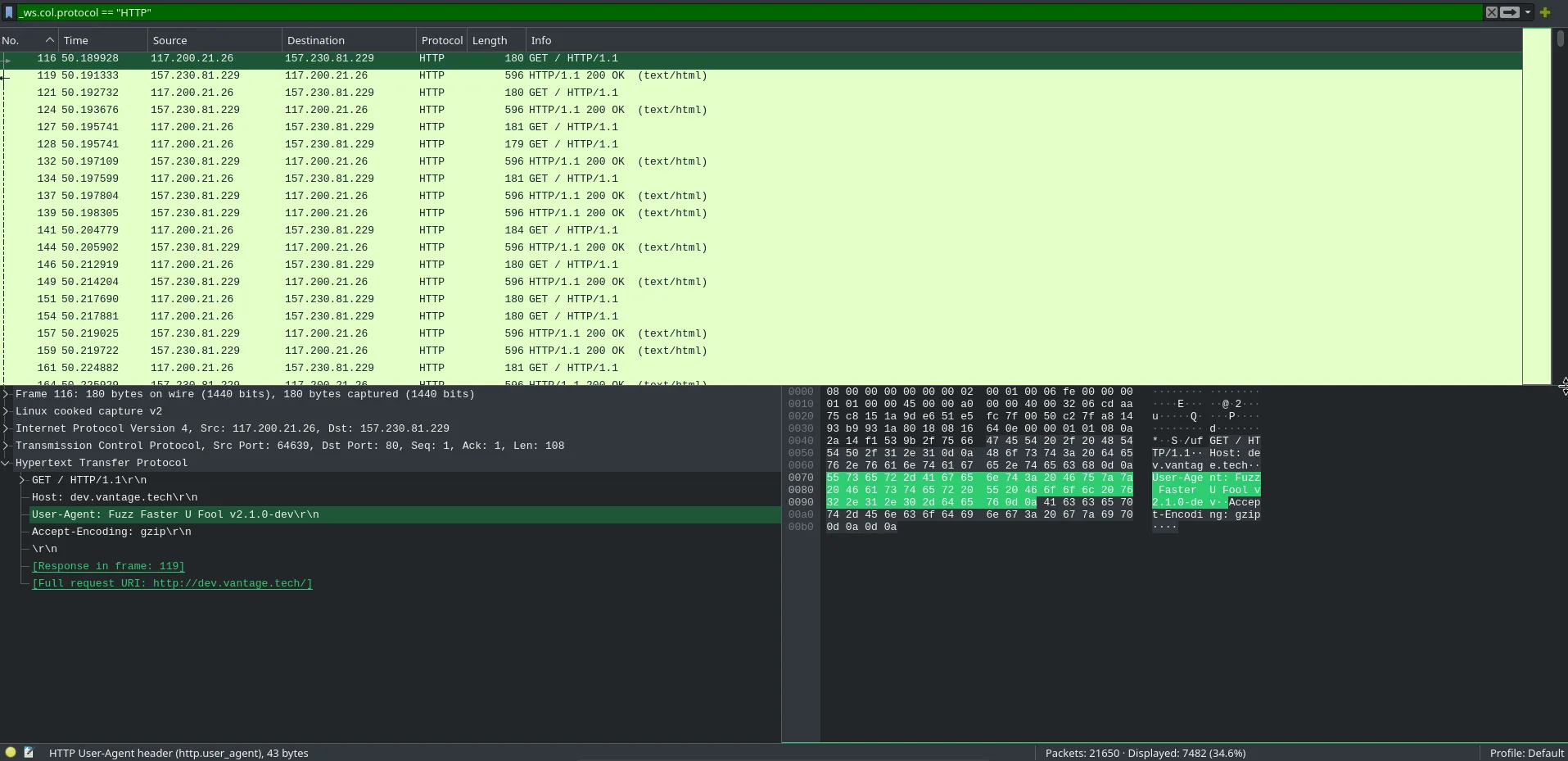
filtering for HTTP gives us the user agent string. Fuzz Faster U Fool, FFUF for short.
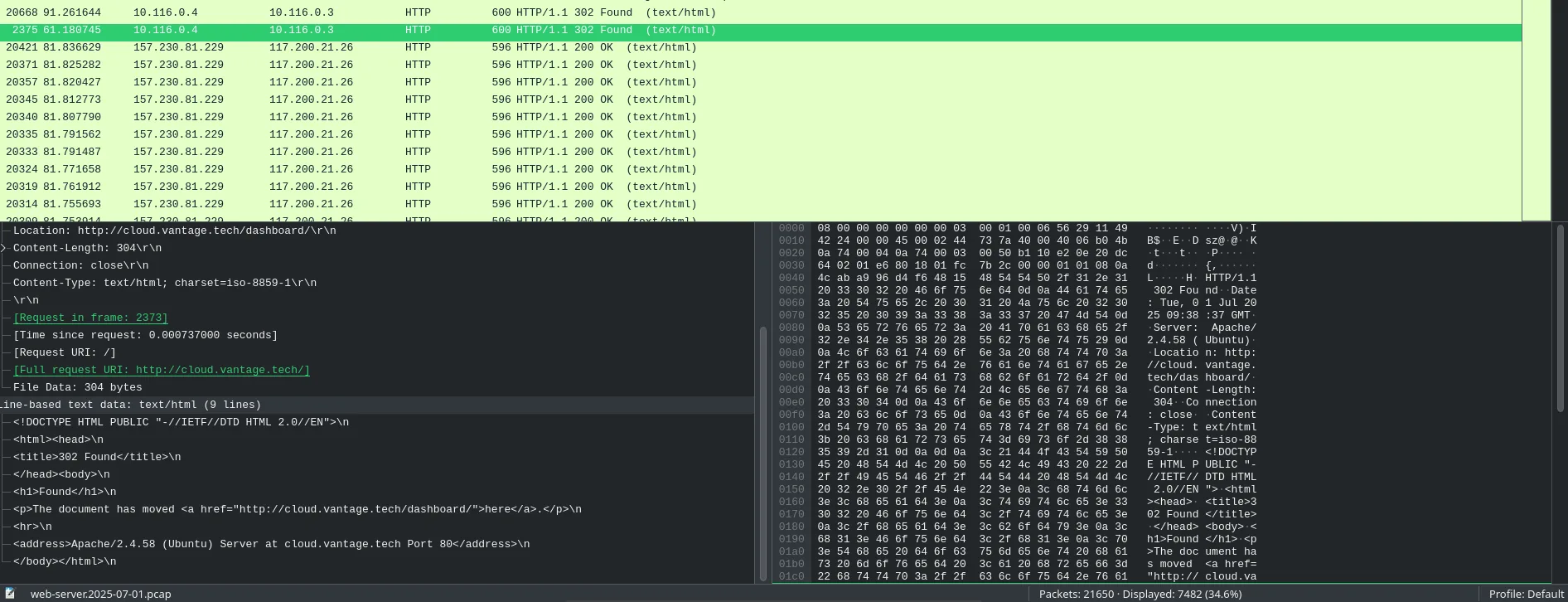
looking through the logs, the attacker was enumerating active domains for TechVantage. instead of reading every 404, we sort by response length. a sudden influx and a 200 to 302 redirect stands out right away.
Login Brute Force & API Config Download
reviewing the logs, we can see the attacker eventually got redirected to the dashboard. at first glance it looks like 8 attempts but the actual count is 3. the machine acts as a reverse proxy so each attempt shows up twice.
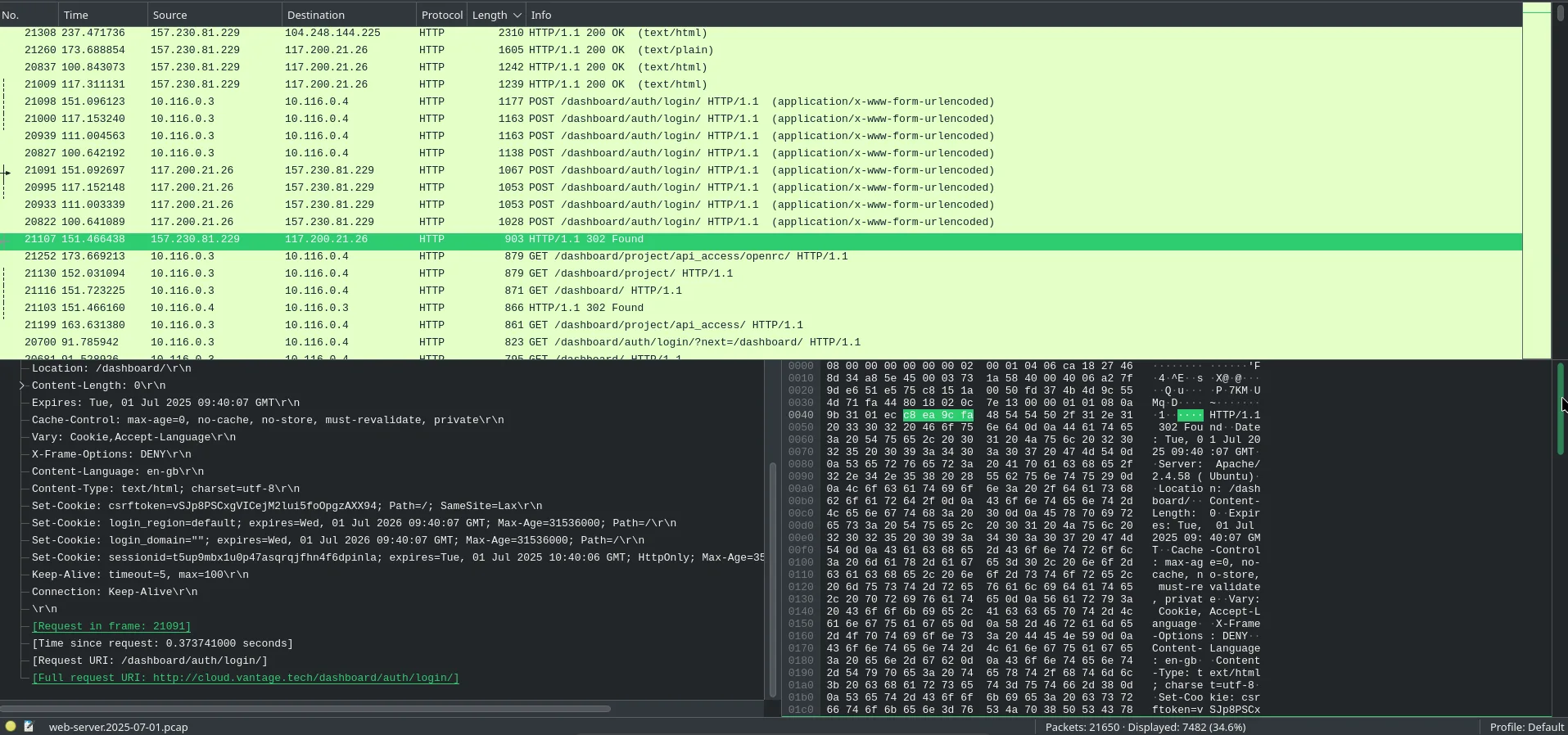
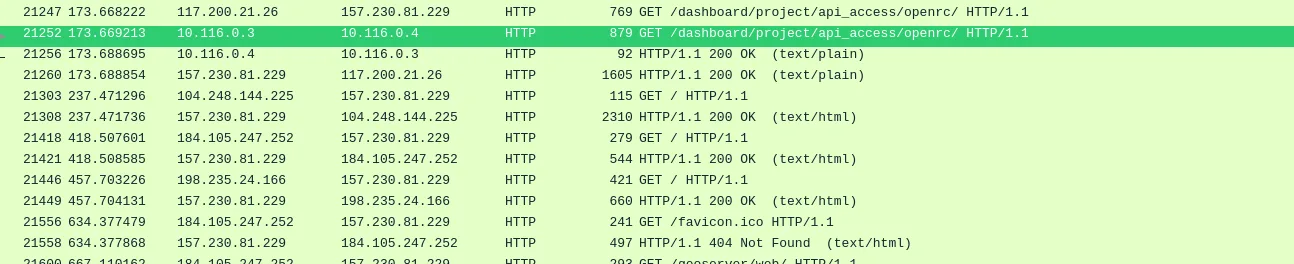
looking through the logs we spot the attacker accessing the api_access folder.
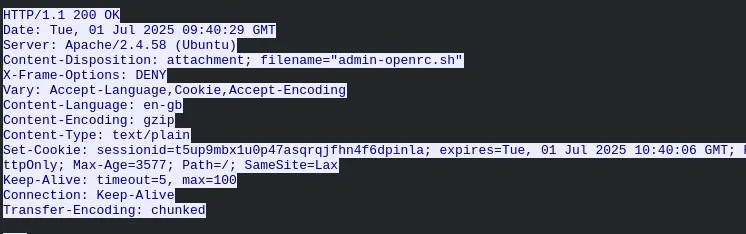
following the TCP stream confirms what was downloaded. UTC and GMT are close enough that we can read the timestamp directly.
OpenStack API Enumeration
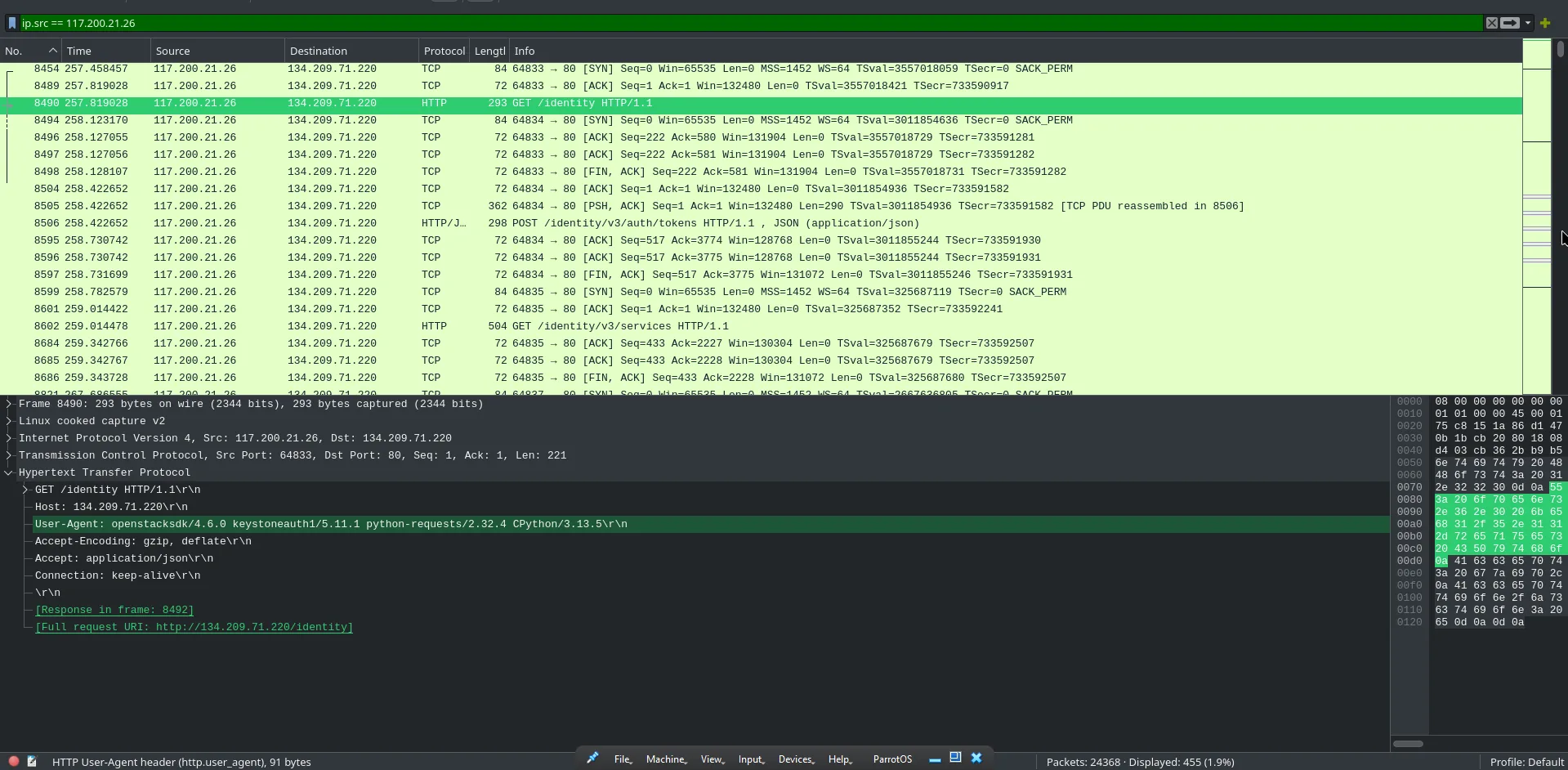
we filter for the attacker's source IP 117.200.21.26 and look at the controller traffic. the user agent has changed from FFUF to openstacksdk. that config file handed them direct API access.
we don't know the project name yet so let's search for it in the filter.
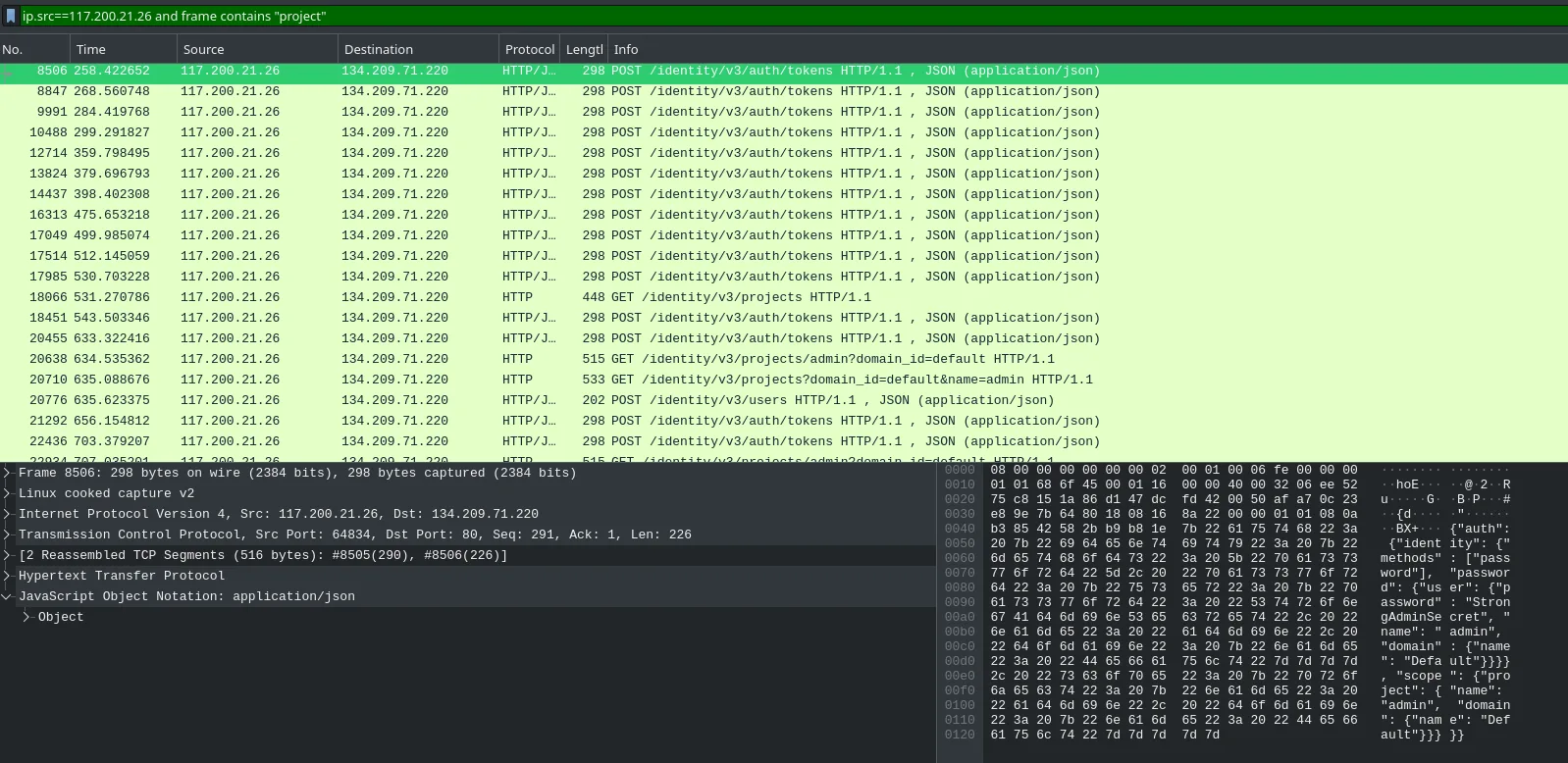
that gives us what we need.
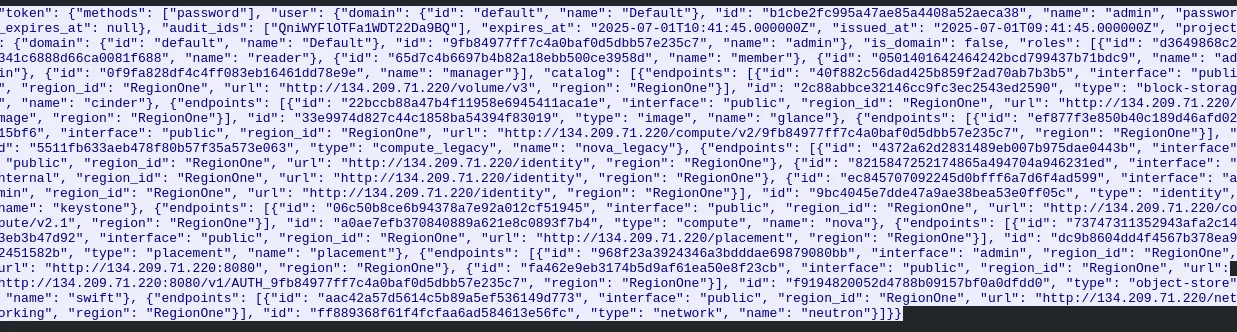
going back to when we first saw the attacker hit the controller, one of the agents listed was keystoneauth. looking that up confirms it is OpenStack's authentication service.
Swift Storage & Data Exfiltration
searching for frames containing "swift" hits a dead end.
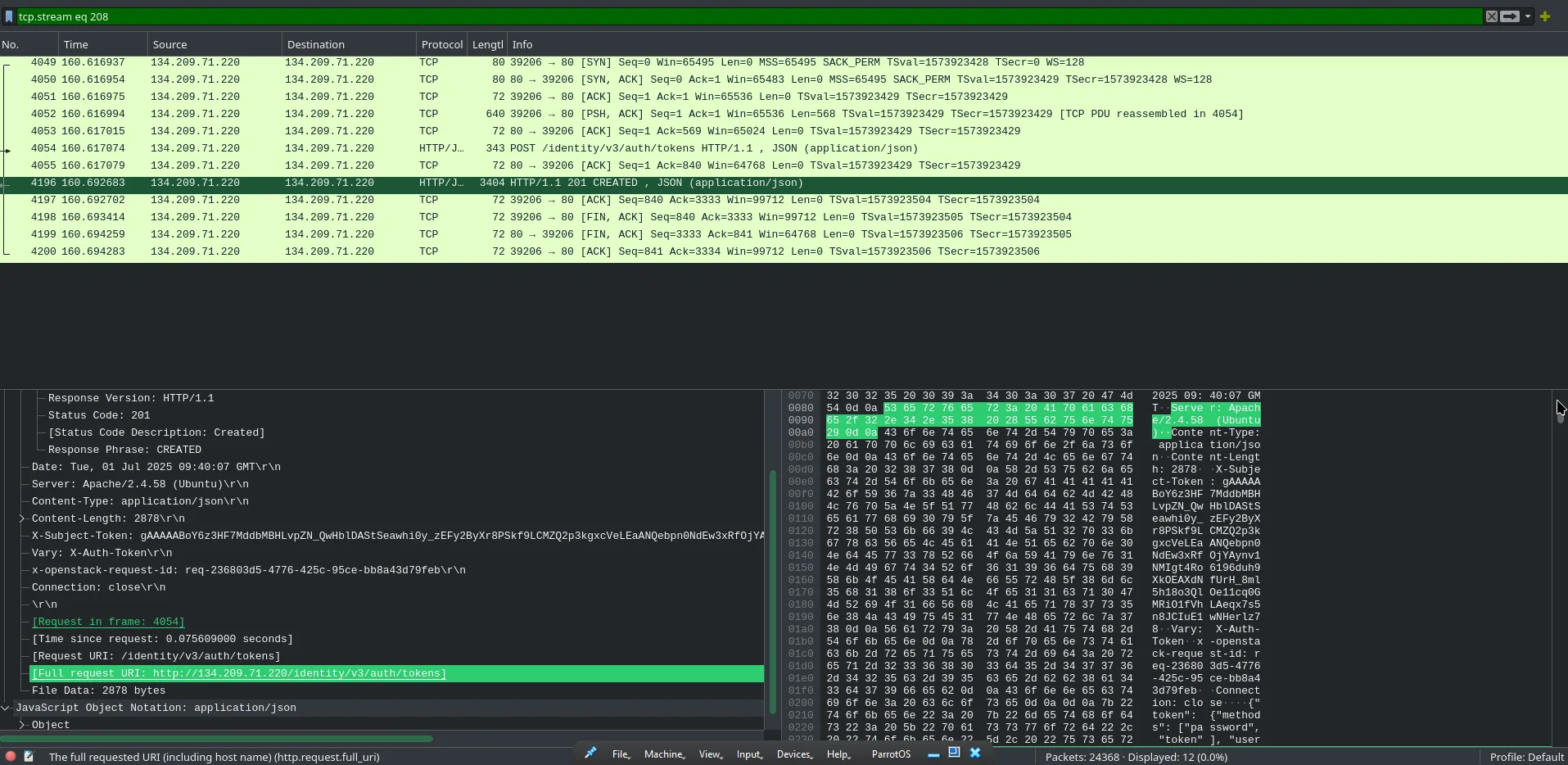
after some research, Swift endpoint URLs follow a pattern like http://host:8080/v1/AUTH_projectid. we plug that pattern into the logs and find a match.
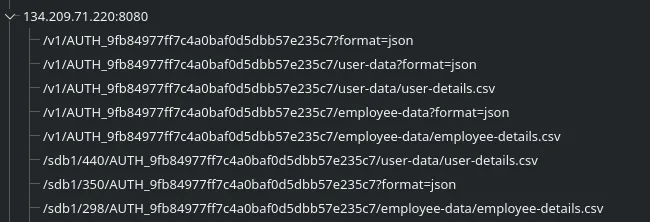
looking for packets containing the Swift endpoint, we can count what the attacker enumerated.
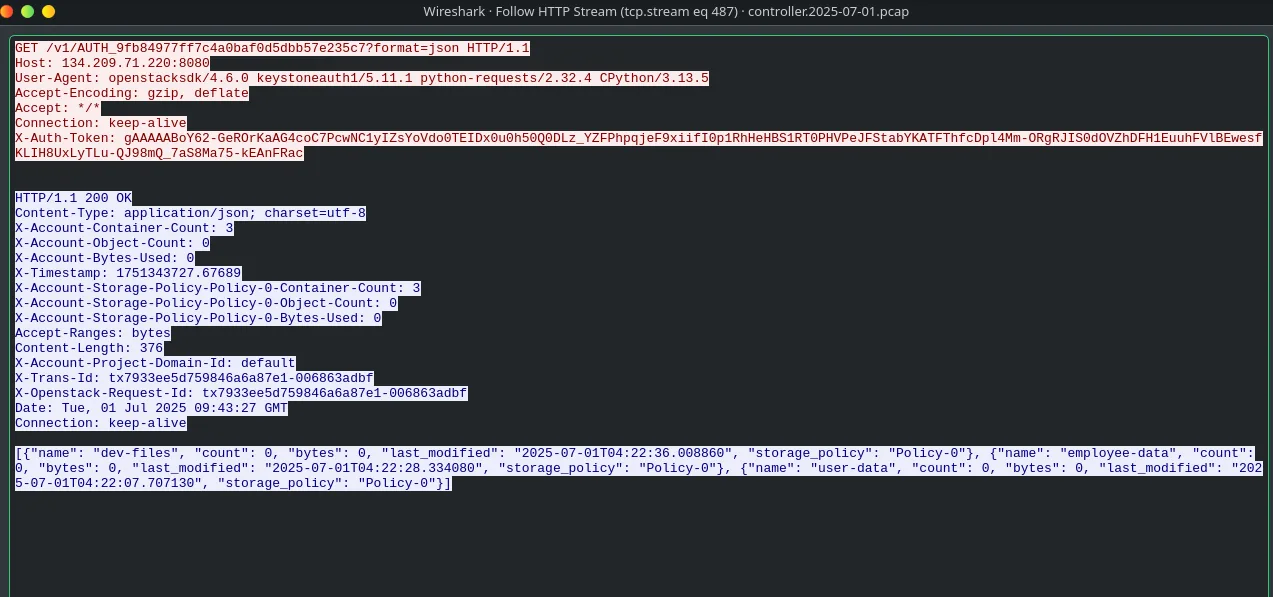
going back to the HTTP requests, we filter for user-details.csv.

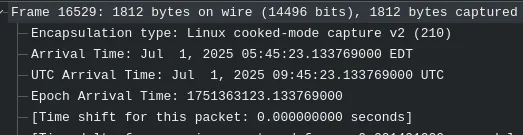
following the HTTP stream gives us the full file contents.
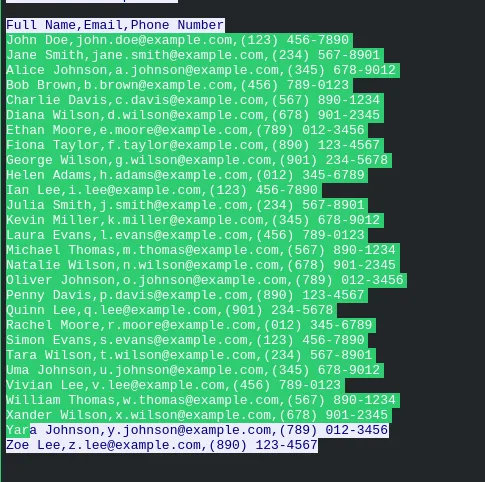
Persistence via Account Creation
looking at the HTTP requests we spot a POST to /identity/v3/users. filtering on that path gives us the new account details.
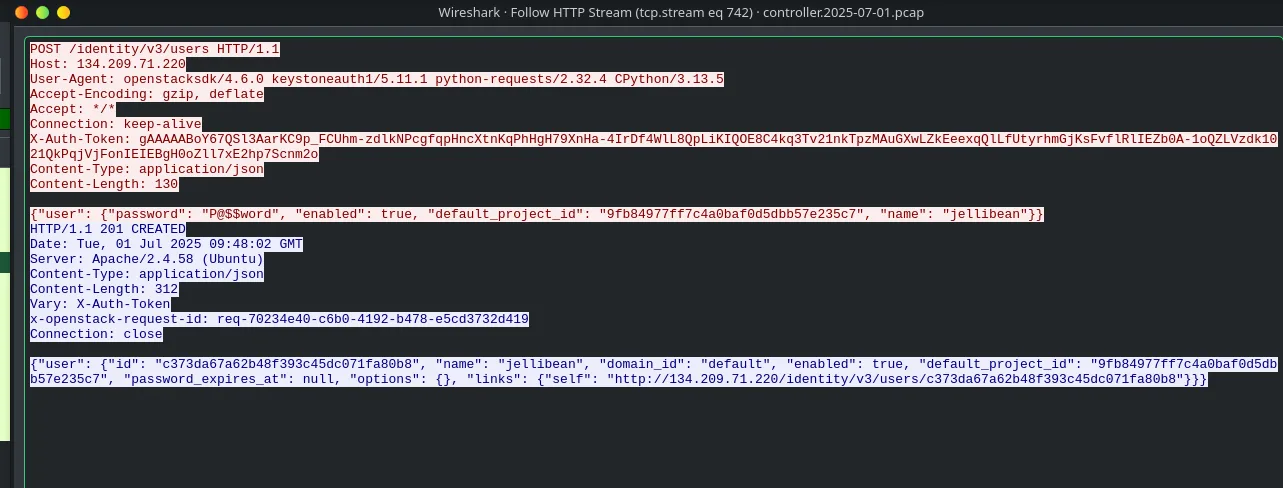
visible in the same packet from the previous question.
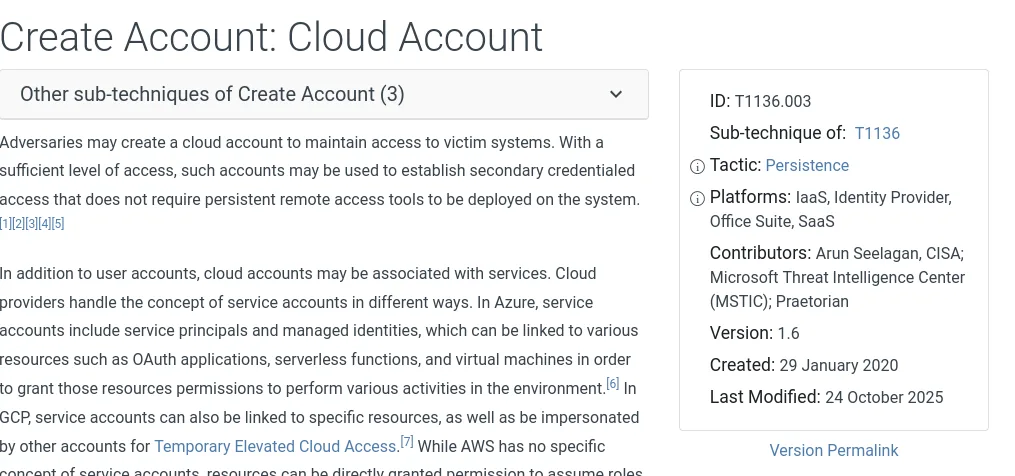
the attacker created a new account in a cloud environment. that maps to Create Cloud Account in MITRE ATT&CK.
- →sort by response length when analyzing fuzzing traffic. successful responses break the noise pattern and stand out from the 404s
- →when traffic is proxied, login counts can appear doubled in the logs. know the network architecture before taking raw numbers at face value
- →an API config file is basically a full set of keys. once it's downloaded, the attacker can authenticate directly to the controller as a legitimate client
- →if a keyword search hits a dead end, research the expected URL format first and match that against the traffic instead of searching for the name
- →cloud persistence through account creation doesn't touch the OS at all. T1136.003 is worth knowing specifically for cloud IR work
i was unfamiliar with the Swift endpoint and it became a real blocker. searching for "swift" directly got me nowhere and i had to stop and look up how OpenStack structures its URLs before anything made sense. the reverse proxy thing with the login count also caught me off guard. overall a good lab though, especially for cloud exposure since i hadn't really worked with OpenStack before.
| Type | Indicator |
|---|---|
| IP | 117.200.21.26 (attacker) |
| Endpoint | hxxp://134.209.71.220:8080/v1/AUTH_9fb84977ff7c4a0baf0d5dbb57e235c7 |
| File | user-details.csv |
| Account | jellibean (backdoor) |
| Tool | FFUF v2.1.0 |